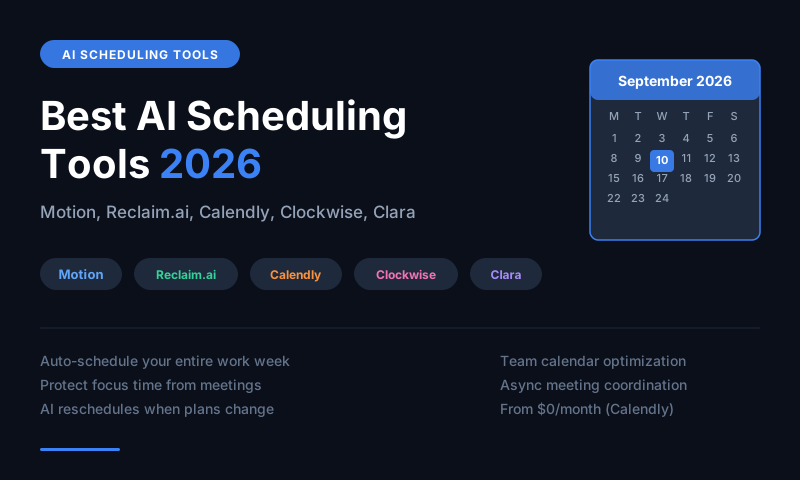
Motion is the best AI scheduler for automatically building and rebuilding your daily schedule around tasks and meetings. Reclaim.ai is the best for protecting focus time and smart scheduling habits. Calendly is the best for eliminating the back-and-forth of booking meetings with others. Clockwise is the best for team calendar optimization. Clara is the best AI meeting scheduling assistant for executives.
The Hidden Cost of Manual Scheduling
Most professionals spend 3-5 hours per week managing their calendars -- scheduling meetings, rescheduling conflicts, deciding what to work on when, and context-switching between tasks and commitments. AI scheduling tools reclaim this time by making autonomous decisions about when things happen, adapting in real time when plans change, and eliminating the cognitive load of daily prioritization.
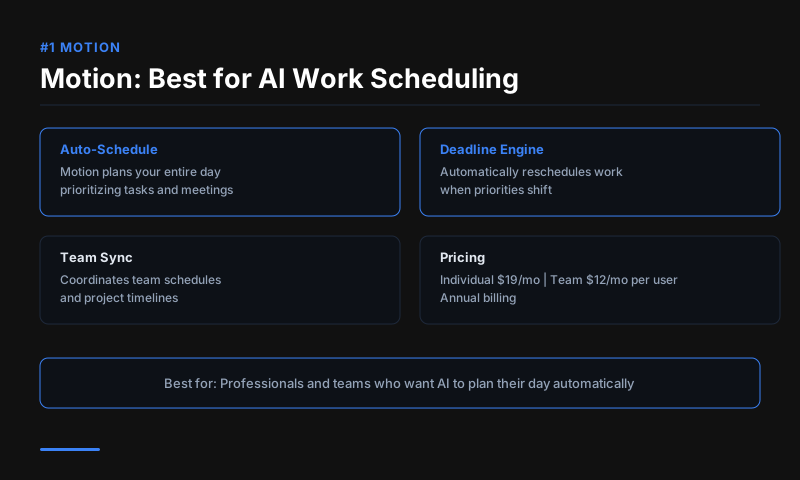
#1 Motion -- Best for Automated Daily Planning
Price: $19/month Individual | $12/month/user Teams
Motion is the most autonomous AI scheduler available. You add your tasks (with deadlines and estimated durations) and your meetings, and Motion builds a full daily schedule automatically -- placing tasks in available time slots, reprioritizing when meetings move, and alerting you when a deadline is at risk given your current schedule.
When a meeting is added or a task runs over, Motion rebuilds your schedule in real time rather than leaving you to manually reschedule. For professionals with complex, meeting-heavy calendars and significant task workloads, Motion eliminates the daily planning overhead that drains productive capacity.
Best for: Knowledge workers with heavy task and meeting loads Standout feature: Real-time automatic schedule rebuilding
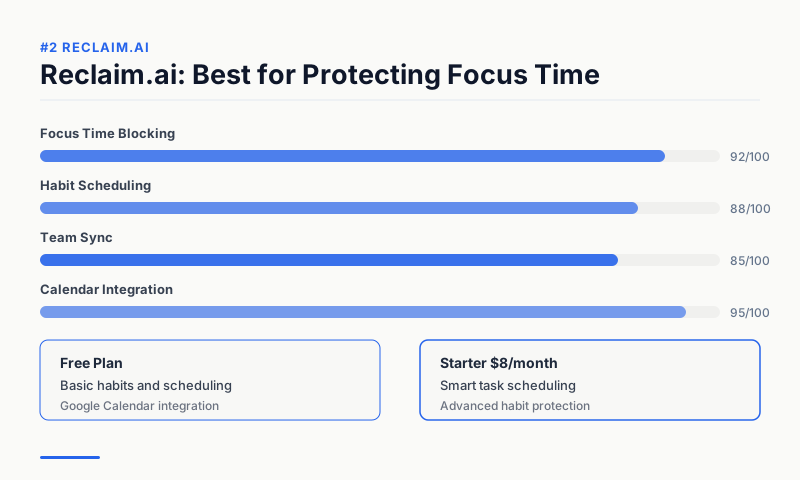
#2 Reclaim.ai -- Best for Smart Time Protection
Price: Free (1 user) | $8/month Starter | $12/month Business
Reclaim.ai focuses on protecting your most important work from being crowded out by meetings. It automatically blocks time for your Tasks (to-dos), Habits (daily routines, exercise, lunch), and Focus Time, then defends that time from meeting requests. When meetings are added, Reclaim moves protected blocks to the next available slot rather than deleting them.
The Smart Meetings feature analyzes when your team is most available and schedules meeting requests at times that minimize disruption to everyone's focus blocks. For remote teams, Reclaim's visibility into the team's working patterns improves meeting scheduling efficiency.
Best for: Remote teams, professionals protecting deep work, habit builders Free plan: Solid individual plan with core scheduling features
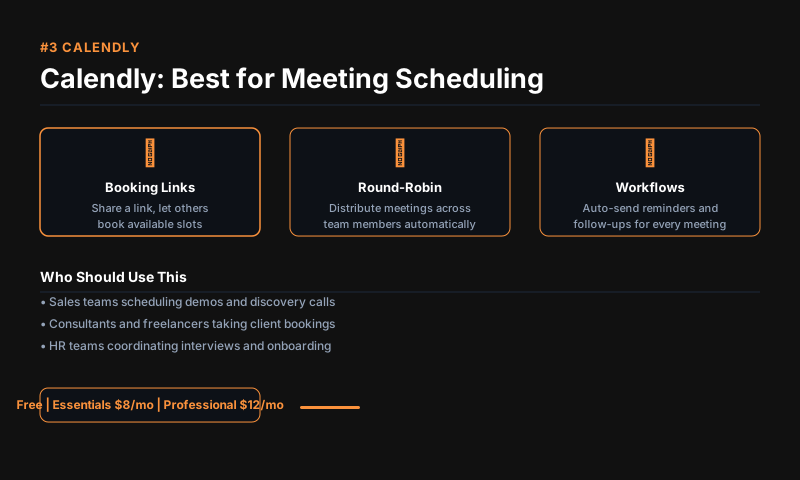
#3 Calendly -- Best for External Meeting Booking
Price: Free | $10/month Standard | $16/month Teams
Calendly remains the standard for eliminating scheduling back-and-forth with external contacts. Share your Calendly link and others book directly into your available time based on rules you set -- minimum notice, buffer time between meetings, available hours, and meeting duration. No email chains, no time zone confusion.
The AI features in 2026 include smart routing (route meeting requests to the right team member based on topic), automated follow-up emails, and meeting prep summaries. For sales, recruiting, and client-facing teams, Calendly's reliability and adoption (it is universally recognized) give it a practical advantage over newer tools.
Best for: External meeting scheduling, sales, recruiting, client services Free plan: Basic scheduling with one meeting type
#4 Clockwise -- Best for Team Calendar Optimization
Price: Free | $6.75/month Teams | $11.50/month Business
Clockwise automatically moves flexible meetings to create longer blocks of uninterrupted focus time for everyone on a team. When multiple team members use Clockwise, the AI can optimize across all calendars simultaneously -- finding the best time for a team meeting that minimizes disruption to everyone's deep work, not just one person's schedule.
The Slack integration updates your status automatically based on your calendar (Focus Time, In a Meeting, Available), reducing interruptions during blocked work periods.
Best for: Teams that want coordinated focus time, reducing meeting fragmentation Standout feature: Multi-calendar optimization across teams
#5 Clara -- Best AI Meeting Scheduling Assistant
Price: $99/month Professional | $199/month Executive
Clara is an AI scheduling assistant that handles meeting scheduling entirely by email. You CC Clara on an email thread and it handles the back-and-forth of finding a time, confirming availability, sending calendar invites, and following up on no-responses. Clara communicates using natural language and appears as a human assistant to the recipient.
For executives and senior professionals who receive dozens of meeting requests per week, Clara removes the scheduling burden completely. The cost is higher than other tools but the time savings at executive-level compensation make the ROI clear.
Best for: Executives, busy professionals with high meeting request volume Key feature: Natural language email-based scheduling delegation
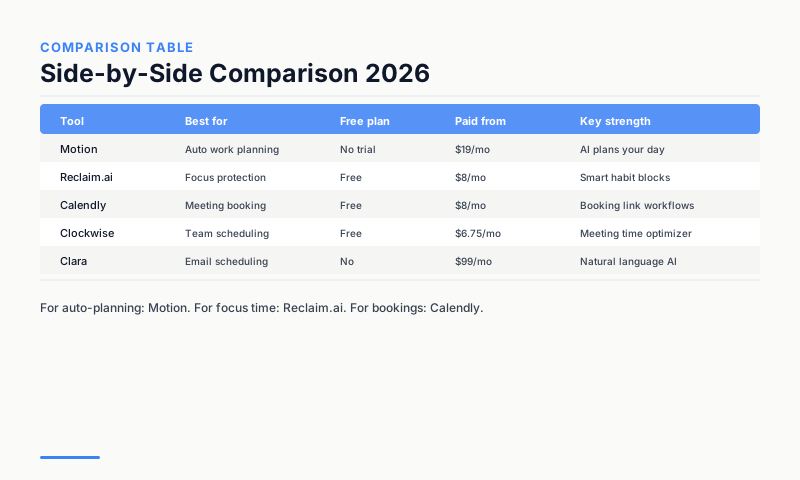
Comparison Table
| Tool | Best for | Free plan | Paid from | Core AI feature |
|---|---|---|---|---|
| Motion | Automated daily planning | No | $19/month | Auto-rebuild schedule |
| Reclaim.ai | Focus time protection | Yes (1 user) | $8/month | Smart blocking |
| Calendly | External booking | Yes | $10/month | Meeting routing |
| Clockwise | Team optimization | Yes | $6.75/month | Multi-calendar AI |
| Clara | Executive delegation | No | $99/month | Email scheduling AI |
The Right Tool for Your Situation
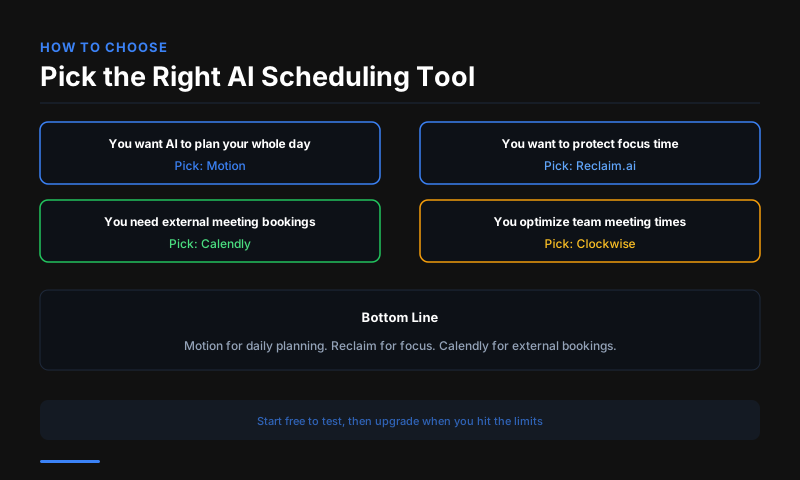
For individuals managing their own schedule: Motion if you have many tasks, Reclaim if you need focus time protection. For external booking: Calendly. For teams: Clockwise or Reclaim.ai Teams. For executives: Clara. Most professionals find one tool covers 90 percent of their scheduling friction.
FAQs
What is the best free AI scheduling tool? Reclaim.ai's free plan is the most capable free AI scheduling tool -- it protects focus time, manages habits, and optimizes meeting scheduling without a subscription. Calendly's free plan is better for external meeting booking specifically.
Does Motion actually work? Motion has a steep learning curve -- it takes 1-2 weeks to see the full benefit as you add tasks and it learns your patterns. Most users report significant time savings after the adjustment period.
Is Calendly better than Google Calendar's scheduling feature? For external booking with non-Google users, yes. Google Calendar's appointment booking is functional but Calendly's routing, follow-up, and integration features are more complete for professional use.
This article contains affiliate links. I may earn a commission at no extra cost to you.