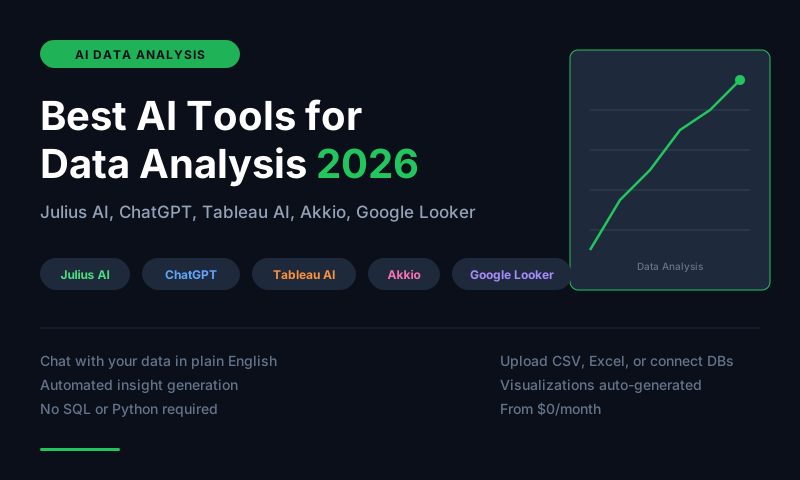
Julius AI is the best AI data analysis tool for non-technical users who want to upload a file and ask questions in plain English. ChatGPT's Code Interpreter is the best for analysts who want to do real Python-based analysis with AI assistance. Tableau AI is the best for enterprise BI teams already on Tableau. Akkio is the best for building predictive models without code. Google Looker AI is the best for Google Cloud data warehouse users.
AI Has Democratized Data Analysis
The biggest shift in data analysis in 2026 is not speed -- it is access. AI tools let anyone analyze data by describing what they want rather than writing SQL or Python. A marketing manager can ask "which campaigns drove the most revenue last quarter?" and get a chart and answer from their uploaded spreadsheet without coding. This does not replace data analysts -- it extends analytical capability to the entire organization.
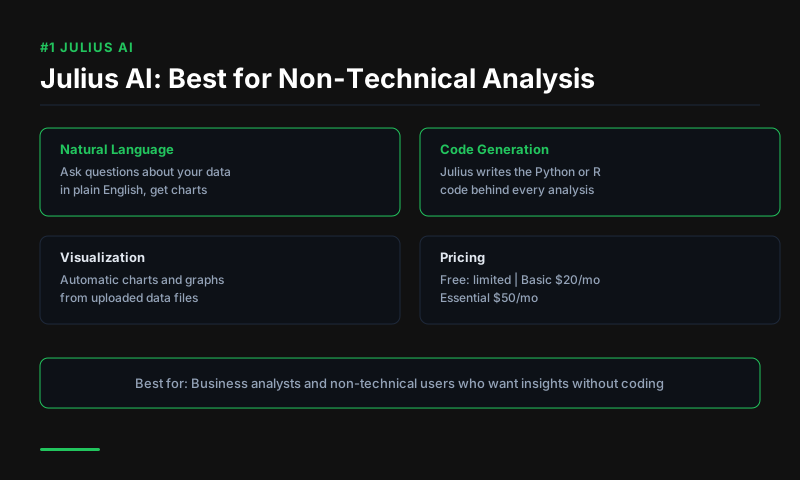
#1 Julius AI -- Best for Non-Technical Users
Price: Free (limited) | $20/month Pro | $50/month Team
Julius AI lets you upload CSV, Excel, Google Sheets, or database connections and ask questions in natural language. It generates charts, runs statistical analysis, creates pivot tables, and writes Python or SQL code to power the analysis -- all from conversational prompts. The interface feels like talking to a data analyst rather than using software.
For business users who need regular reporting from Excel data, Julius eliminates the dependency on a data analyst for routine analysis. The charting quality is strong and outputs are copy-paste ready for presentations.
Best for: Non-technical business users, operations managers, marketing analysts Standout feature: Conversational analysis over uploaded files with chart generation
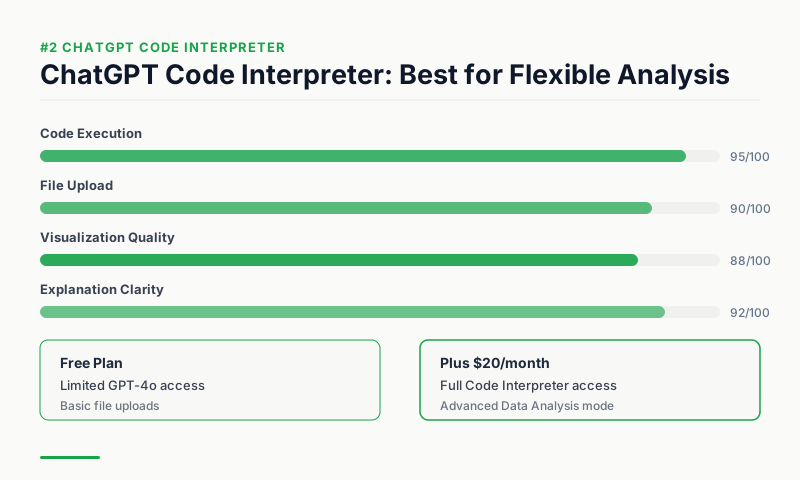
#2 ChatGPT Code Interpreter -- Best for Technical Analysts
Price: $20/month (ChatGPT Plus)
ChatGPT's Code Interpreter (now called Advanced Data Analysis) runs real Python in a sandboxed environment. You upload a file and ask ChatGPT to clean it, analyze it, visualize it, or build a model -- and it writes and executes Python code to do exactly that, showing you the output and the code. For analysts who want AI assistance with real data science workflows, Code Interpreter is the most flexible tool available.
It handles complex transformations, regression analysis, time series forecasting, and anomaly detection that simple query tools cannot. The fact that it shows its code means you can verify, learn from, and reproduce every result.
Best for: Data analysts, data scientists, technical users Standout feature: Real Python execution with visible code
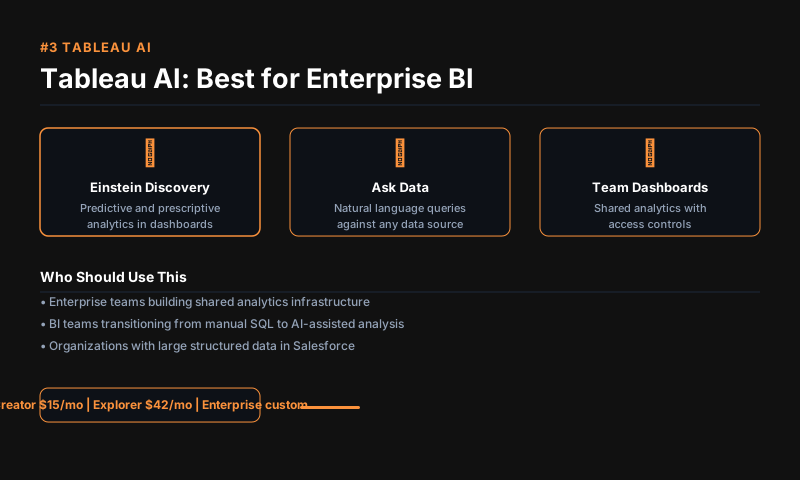
#3 Tableau AI (Tableau Pulse) -- Best for Enterprise BI
Price: Included in Tableau Cloud subscriptions (Creator $70/month+)
Tableau's AI features include Tableau Pulse (AI-generated natural language summaries of key metrics delivered to stakeholders automatically) and Tableau GPT (ask questions of dashboards in plain English). For organizations already on Tableau, these features extend the investment rather than introducing a new tool.
Pulse is particularly useful for executive reporting -- instead of checking dashboards, stakeholders receive a daily digest of relevant metrics with AI-written explanations of what changed and why. For BI teams drowning in ad-hoc dashboard requests, Pulse reduces the volume significantly.
Best for: Enterprise BI teams, organizations already on Tableau Standout feature: Automated AI metric summaries delivered to stakeholders
#4 Akkio -- Best for Predictive Modeling
Price: $49/month Growth | $99/month Pro | Custom Enterprise
Akkio lets non-technical users build predictive models -- churn prediction, lead scoring, demand forecasting -- without writing code. You upload a dataset, select the outcome you want to predict, and Akkio trains a model and generates predictions on new data. The deployment is one-click to a shareable link or API.
For business teams that need predictive models but do not have a data scientist, Akkio provides the most approachable path to deploying machine learning in a business workflow.
Best for: Business users needing predictive models, sales ops, finance Standout feature: No-code predictive model training and deployment
#5 Google Looker AI -- Best for Google Cloud Users
Price: Looker Studio free | Looker Platform $5,000+/year
Google Looker's AI features -- including BQML integration, Looker Conversational Analytics, and Gemini-powered natural language queries -- are the natural choice for organizations running their data warehouse on Google BigQuery. The conversational interface lets analysts ask questions of BigQuery data in English and get SQL-powered answers without writing queries.
For Google Cloud data teams, Looker's tight integration with the rest of the GCP data stack (Dataflow, BigQuery, Vertex AI) reduces the tooling overhead of building an analytics platform.
Best for: Google Cloud/BigQuery data teams Free tier: Looker Studio (formerly Data Studio) is free
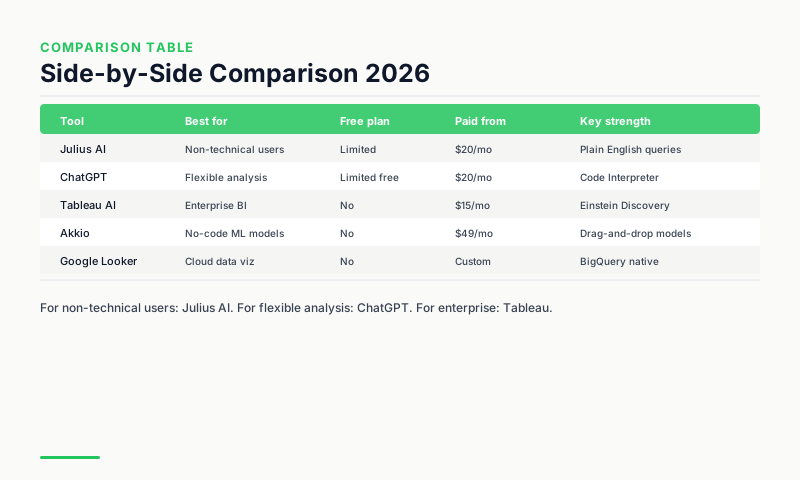
Comparison Table
| Tool | Best for | Free plan | Paid from | Key capability |
|---|---|---|---|---|
| Julius AI | Non-technical users | Limited | $20/month | Conversational file analysis |
| ChatGPT Code Interpreter | Technical analysts | No | $20/month | Real Python execution |
| Tableau AI | Enterprise BI | No | $70+/month | Automated metric summaries |
| Akkio | Predictive modeling | No | $49/month | No-code ML models |
| Google Looker AI | BigQuery users | Studio free | $5K+/year | SQL from natural language |
Which Tool Fits Your Use Case?
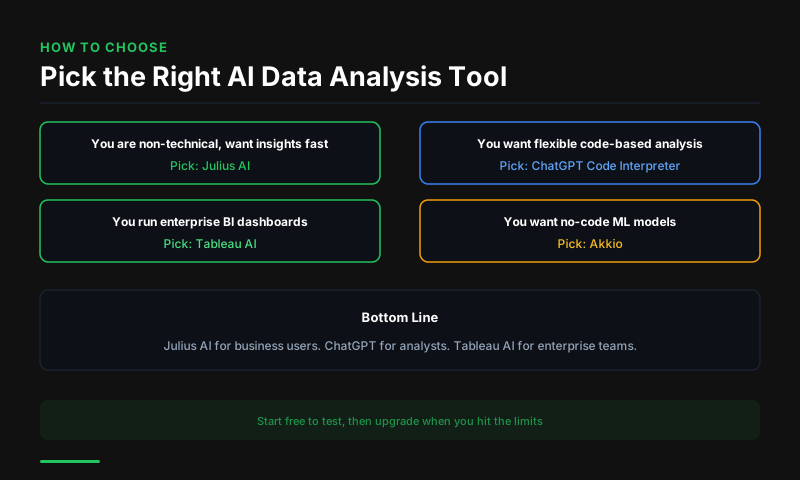
If you need to analyze a spreadsheet without code, start with Julius AI's free plan. If you are a technical analyst who wants AI assistance with real Python analysis, ChatGPT Code Interpreter is the highest-leverage tool at $20/month. For enterprise teams, match the tool to your existing data infrastructure.
FAQs
Can AI tools replace data analysts? No, but they shift the analyst's role. Routine reporting, simple queries, and data cleaning are increasingly automated. Strategic analysis, model design, and business interpretation still require human expertise. Organizations are using fewer junior analysts and more senior ones.
What is the best AI tool for analyzing Excel files? Julius AI is purpose-built for this use case -- upload an Excel file and ask questions in plain English. ChatGPT Code Interpreter handles Excel too, with more powerful analytical capabilities for complex files.
Is AI data analysis accurate? AI-generated analysis is accurate for well-structured data and clear questions. For complex statistical analysis, domain-specific interpretation, and edge-case data issues, human validation is still important. Always verify key findings before making major decisions.
This article contains affiliate links. I may earn a commission at no extra cost to you.