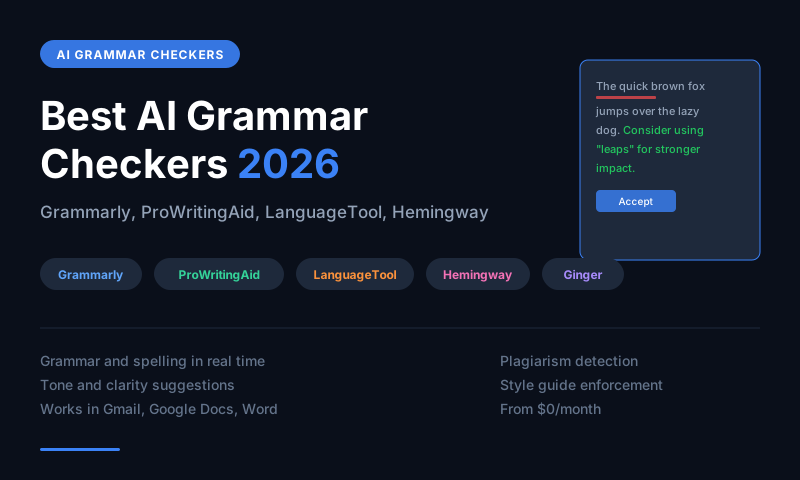
Grammarly is the best AI grammar checker overall -- it works everywhere, catches style and tone issues, and offers full rewrites. ProWritingAid is the best for authors and long-form writers who want deep style analysis. LanguageTool is the best free and open-source option. Hemingway Editor is the best for simplifying and clarifying writing. Ginger is the best for non-native English speakers.
Grammar Checking Has Evolved Beyond Grammar
The best AI writing tools in 2026 do not just fix comma splices and misspellings -- they improve clarity, adjust tone, suggest stronger word choices, flag passive voice overuse, and rewrite entire sentences for better flow. For anyone who writes professionally, this level of AI assistance meaningfully improves output quality and reduces editing time.
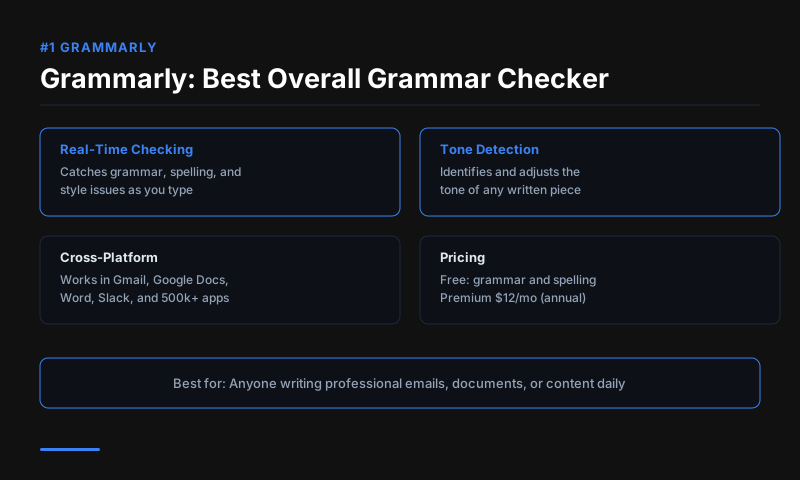
#1 Grammarly -- Best Overall
Price: Free | $12/month Premium (annual) | $15/month Business
Grammarly integrates with every platform -- Google Docs, Word, Gmail, LinkedIn, Slack, and any browser text field. The free plan catches grammar, spelling, and punctuation. Premium adds style suggestions, tone adjustments, clarity rewrites, vocabulary enhancement, and a plagiarism checker across 16 billion web pages.
The AI rewrite feature (GrammarlyGO) generates full rewrites based on a tone instruction -- "make this more confident," "simplify this paragraph" -- which goes beyond correction into active improvement. For professionals who write in multiple platforms daily, Grammarly's cross-platform consistency is its biggest practical advantage.
Best for: Everyone, especially professionals writing across multiple platforms Free plan: Grammar, spelling, punctuation
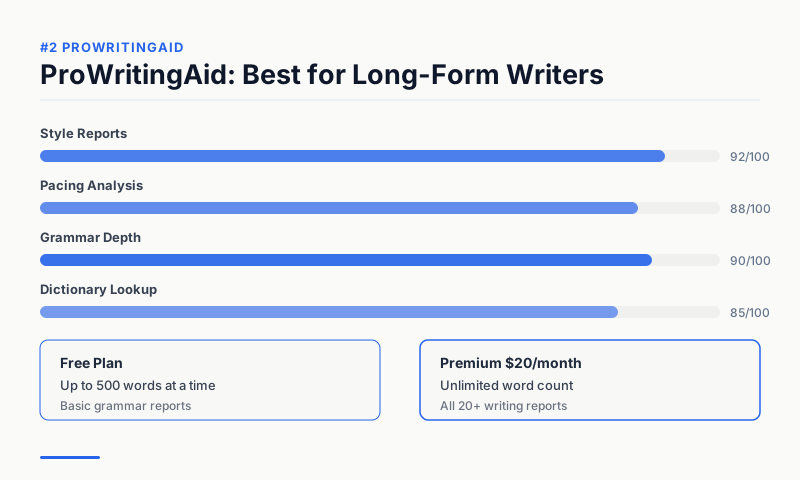
#2 ProWritingAid -- Best for Authors
Price: Free (500 words) | $20/month Premium | $79/year Premium
ProWritingAid offers the deepest style analysis of any grammar checker. Its 20-plus reports cover: overused words, sticky sentences (too many glue words), readability, pacing, dialogue tags, cliche density, and consistency across a long manuscript. For novelists, essayists, and long-form non-fiction writers, this level of analysis catches systematic style issues that Grammarly's per-sentence approach misses.
The integration with Scrivener (the standard tool for authors) is exclusive to ProWritingAid. The annual pricing at $79/year makes it significantly cheaper than Grammarly Premium for heavy users.
Best for: Authors, novelists, long-form writers, screenwriters Standout feature: Manuscript-level style and consistency reports
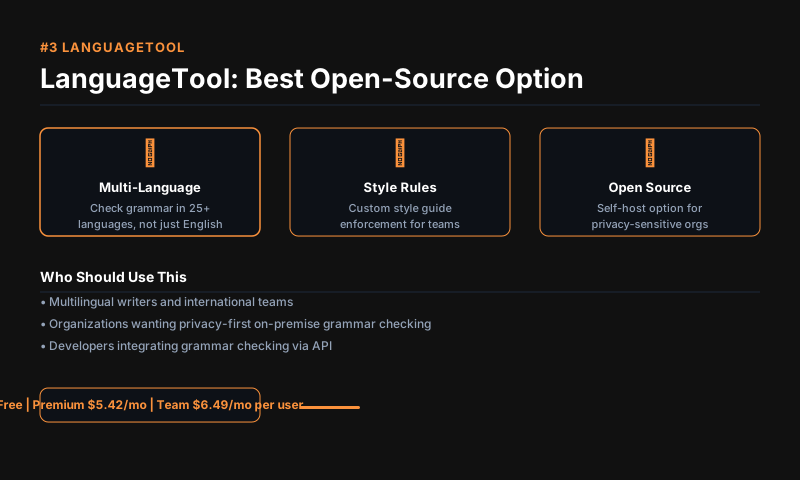
#3 LanguageTool -- Best Free and Open-Source
Price: Free | $6.99/month Premium
LanguageTool is the best free grammar checker for users who do not want to pay for Grammarly. It checks grammar, style, and spelling in 30-plus languages, making it the strongest multilingual option. The open-source version can be run locally for privacy-sensitive use cases.
The free plan covers core grammar and spelling in all supported languages. Premium adds style suggestions, phrasing improvements, and a word frequency checker. For non-English writers particularly, LanguageTool's quality on German, French, Spanish, and Portuguese is competitive with Grammarly.
Best for: Non-English writers, privacy-conscious users, budget users Open source: Yes (community edition available)
#4 Hemingway Editor -- Best for Clarity
Price: Free (web) | $19.99 (desktop app, one-time)
Hemingway Editor does not check grammar -- it grades readability and simplicity. It highlights sentences that are too long, adverbs, passive voice, and phrases with simpler alternatives. The goal is writing at a Grade 8-9 reading level, which corresponds to clear, direct prose that is easy to read.
For business writers, bloggers, and marketers who tend to write overly complex sentences, Hemingway's color-coded feedback produces a visible simplification pass that dramatically improves readability. The web version is free with no account required.
Best for: Business writers, marketers, anyone with a tendency toward complex prose Free access: Full feature web app at hemingwayapp.com
#5 Ginger -- Best for Non-Native English Speakers
Price: Free | $13.99/month Premium
Ginger's AI is specifically tuned for non-native English speakers. Beyond grammar correction, it provides natural rephrasing suggestions that make sentences sound idiomatic rather than just grammatically correct. The Translation feature explains why a correction was made, which helps language learners improve over time rather than just accepting fixes blindly.
The Sentence Rephraser and Personal Trainer features make Ginger more educational than Grammarly for users learning to write in English professionally.
Best for: Non-native English speakers, ESL learners, international business writers Educational features: Sentence rephraser with explanations, personal trainer
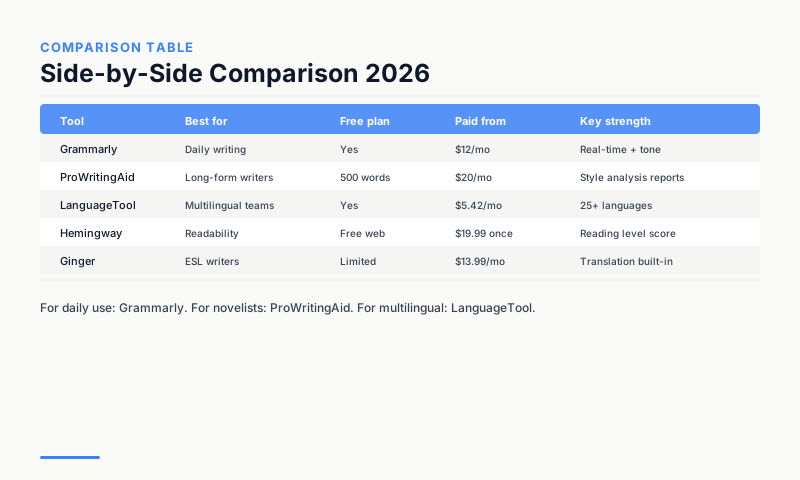
Comparison Table
| Tool | Best for | Free plan | Paid from | Works in |
|---|---|---|---|---|
| Grammarly | General use | Yes (core) | $12/month | Everywhere |
| ProWritingAid | Authors | 500 words | $79/year | Word, Scrivener, web |
| LanguageTool | Multilingual users | Yes (full) | $6.99/month | Browser, Word, Google Docs |
| Hemingway | Clarity | Yes (web) | $19.99 (one-time) | Web, desktop app |
| Ginger | Non-native speakers | Yes | $13.99/month | Browser, keyboard |
Which Should You Use?
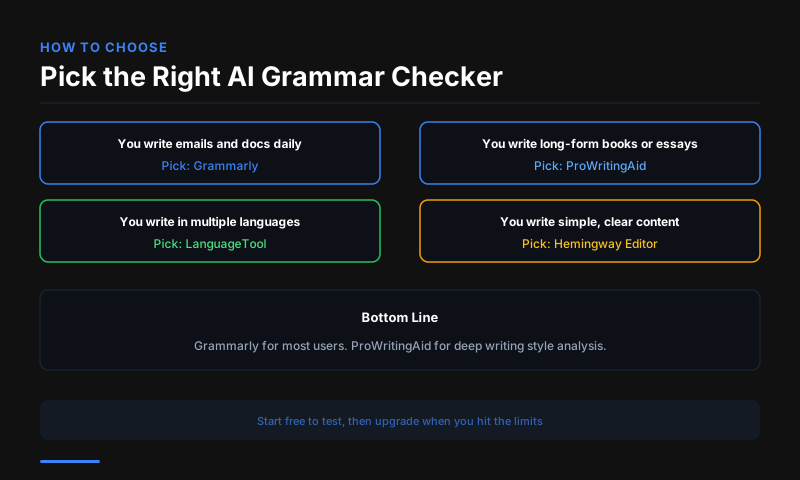
Most professionals benefit from using two tools together: Grammarly for real-time grammar and tone checking everywhere, and Hemingway Editor for a clarity pass on important pieces before publishing. ProWritingAid is the better primary tool for anyone writing long-form content regularly. LanguageTool is the right free alternative to Grammarly.
FAQs
Is Grammarly better than Microsoft Editor? Grammarly's suggestions are more comprehensive and the cross-platform browser extension is more reliable than Microsoft Editor's. Microsoft Editor is a decent free option within Microsoft 365 apps, but Grammarly's quality on style and tone suggestions is stronger.
Can grammar checkers fix bad writing? Grammar checkers fix mechanical errors and improve clarity, but they cannot fix weak arguments, poor structure, or factual inaccuracies. The best use of a grammar checker is as a final pass after you have written and revised -- not as a substitute for the writing process.
Is ProWritingAid worth it vs Grammarly? For authors writing books, yes -- ProWritingAid's manuscript-level reports catch patterns that Grammarly's sentence-level approach misses. For professionals writing short-form content (emails, reports, social posts), Grammarly's real-time feedback and broader platform support make it the better choice.
This article contains affiliate links. I may earn a commission at no extra cost to you.