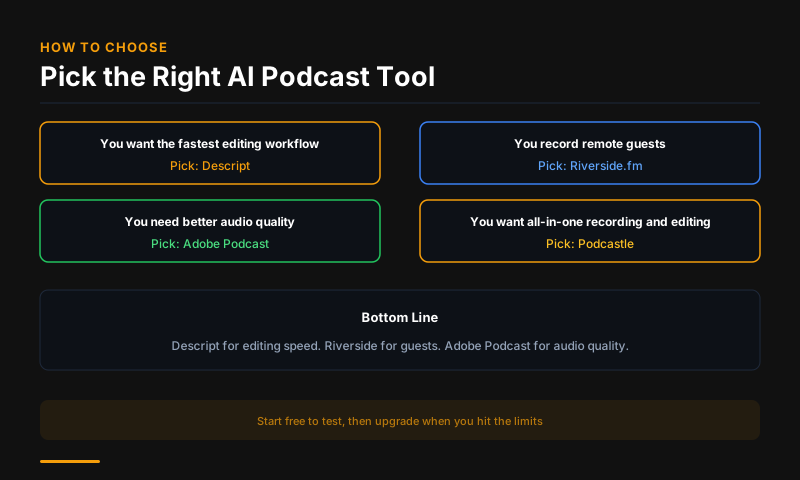
Descript is the best all-in-one AI podcast tool -- record, transcribe, edit audio by editing text, and export. Riverside.fm is the best for remote recording with studio-quality local tracks. Adobe Podcast AI is the best for audio enhancement. Auphonic is the best for automated audio processing. Podcastle is the best budget-friendly option for new podcasters.
AI Has Changed Podcasting Production
The most time-consuming part of podcasting used to be editing. Removing filler words, cutting dead air, cleaning up audio quality, and writing show notes all required hours of manual work per episode. AI tools in 2026 handle all of this automatically or near-automatically. A 60-minute interview that took 4 hours to edit can now be production-ready in 45 minutes.
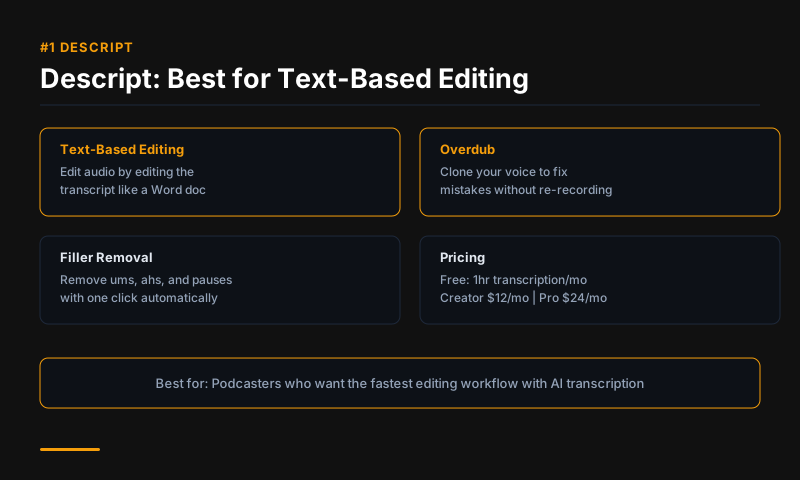
#1 Descript -- Best All-in-One Podcast Tool
Price: Free (1 hour/month) | $24/month Hobbyist | $40/month Creator
Descript is the most complete AI podcast production tool. After recording or importing audio, Descript transcribes it and lets you edit the audio by editing the text transcript -- delete a sentence in the transcript and the audio is removed. Overdub generates a voice clone to fill in re-recorded words. Studio Sound enhances audio quality with one click. The Filler Word Removal feature removes "ums," "uhs," and repeated phrases automatically.
For the entire podcast workflow -- record, edit, export, generate show notes, create social clips -- Descript is the only tool you need.
Best for: Solo podcasters, small podcast teams, YouTube creators repurposing audio Standout feature: Text-based audio editing
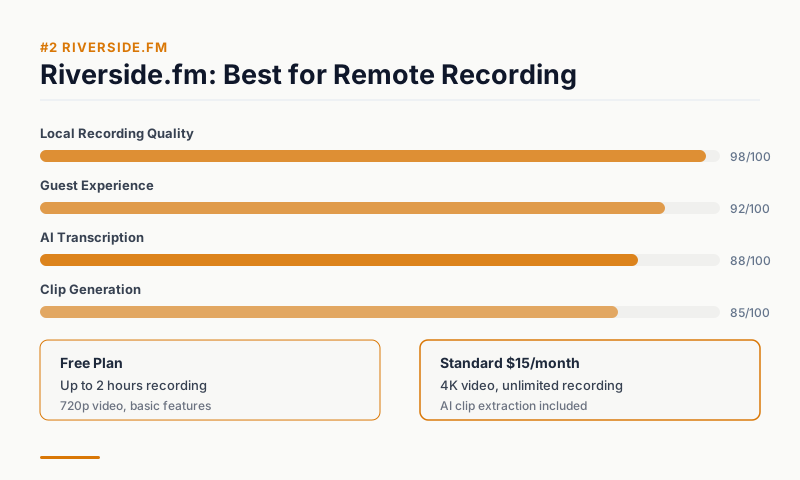
#2 Riverside.fm -- Best for Remote Recording
Price: Free (limited) | $29/month Standard | $49/month Pro
Riverside.fm records each participant's audio locally on their device and syncs after the call, eliminating the audio quality problems caused by internet compression in Zoom or Google Meet recordings. Guests with poor internet connections can still deliver studio-quality audio because the AI-powered local recording bypasses the video call compression.
The AI transcription, automatic show notes, and clip highlight features are built in. The Magic Clips AI tool automatically identifies the most shareable moments from a recording for social media repurposing.
Best for: Interview podcasts, remote co-host recording, guest-heavy shows Standout feature: Local recording + Magic Clips social repurposing
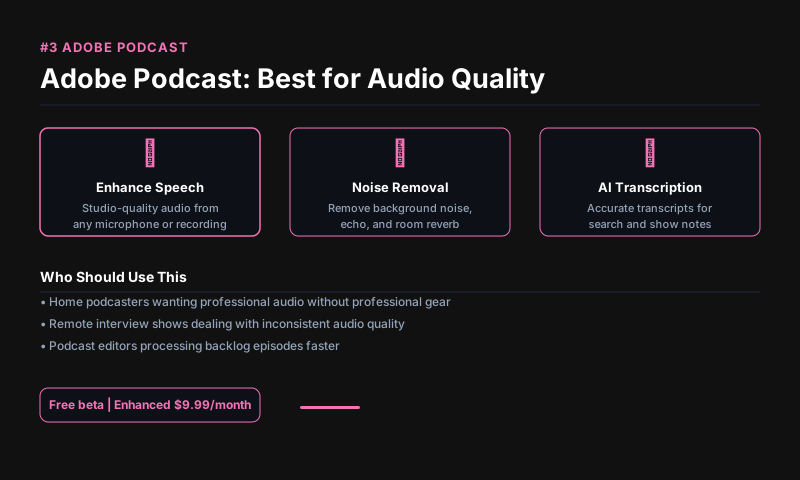
#3 Adobe Podcast AI -- Best for Audio Enhancement
Price: Free (Enhance only) | Included in Creative Cloud
Adobe Podcast's Enhance Speech feature is the most effective AI audio enhancement tool available. Upload a recording made on a laptop microphone, phone, or noisy environment and Enhance Speech removes background noise, room echo, and microphone imperfections to produce near-studio quality output. The improvement on low-quality recordings is remarkable.
Enhance Speech is free to use on Adobe's website with no account required. The full Adobe Podcast platform (recording, editing, transcription) is included in Creative Cloud subscriptions.
Best for: Improving low-quality recordings, cleaning up guest audio Free access: Enhance Speech at podcast.adobe.com
#4 Auphonic -- Best for Automated Audio Processing
Price: Free (2 hours/month) | $11/month Starter | $22/month Small
Auphonic specializes in automated audio post-processing: leveling volume, reducing noise, normalizing loudness to broadcast standards (LUFS), and encoding to multiple formats. It integrates directly with podcast hosting platforms (Podbean, Buzzsprout, Libsyn) and can process and publish an episode automatically after recording.
For podcasters who want to minimize manual editing time, Auphonic is the most automation-focused tool in the category. It does one thing -- make audio sound broadcast-ready -- and does it exceptionally well.
Best for: Solo podcasters, high-volume producers, automated workflows Integration: Direct publishing to major podcast hosts
#5 Podcastle -- Best for New Podcasters on a Budget
Price: Free | $11.99/month Solo | $23.99/month Pro
Podcastle is the best entry point for podcasters who want AI features without the cost of Descript or Riverside. The free plan includes recording, basic AI transcription, and AI audio enhancement. The AI voice cloning feature (Revoice) and Silence Remover are available on paid plans. The interface is designed for beginners -- no audio engineering knowledge required.
For new podcasters evaluating whether podcasting is right for them before committing to more expensive tools, Podcastle's free plan is a complete starting point.
Best for: New podcasters, hobbyists, solo shows Free plan: Record, basic transcription, AI enhancement
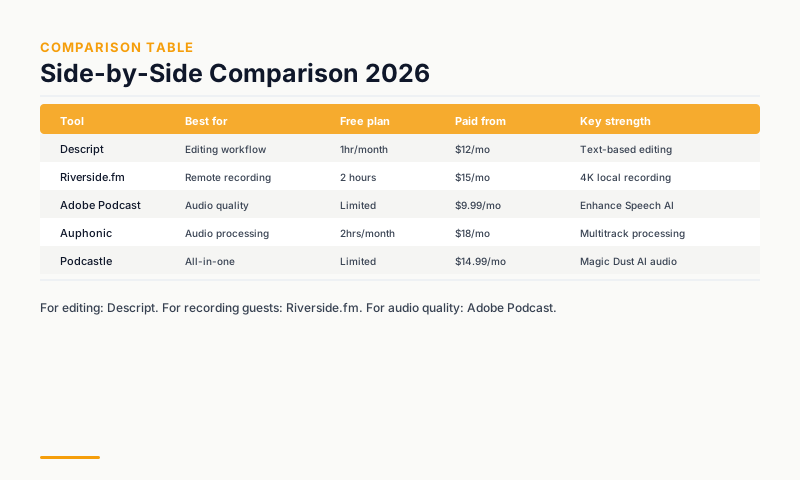
Comparison Table
| Tool | Best for | Free plan | Paid from | Key AI feature |
|---|---|---|---|---|
| Descript | All-in-one editing | 1hr/month | $24/month | Text-based audio editing |
| Riverside.fm | Remote recording | Limited | $29/month | Magic Clips social repurposing |
| Adobe Podcast AI | Audio enhancement | Yes (Enhance) | CC subscription | Enhance Speech |
| Auphonic | Automated processing | 2hrs/month | $11/month | Automated loudness/noise |
| Podcastle | Beginners | Yes | $11.99/month | AI voice clone |
The Podcast AI Stack That Works
Most podcasters settle on two tools: a recording platform (Riverside or Descript) and an audio enhancer (Adobe Podcast Enhance for free, or Auphonic for automation). Descript alone can replace both for solo shows. The total cost for a professional podcast production workflow is $0-$50/month depending on volume.
FAQs
What is the best AI tool for removing background noise from podcasts? Adobe Podcast's Enhance Speech is the best free option and rivals paid tools. Auphonic and Descript's Studio Sound both handle this well for paid workflows.
Can AI tools write podcast show notes automatically? Yes. Descript, Riverside, and Podcastle all generate show notes and summaries from your transcript. The quality is good enough for a first draft that requires light editing.
Is Descript worth it for podcasters? For podcasters editing their own episodes, yes. The text-based editing alone saves hours per episode. The free plan (1 hour/month) lets you evaluate whether the workflow fits your production style before paying.
This article contains affiliate links. I may earn a commission at no extra cost to you.